
Before opening the form
Confirm the exact operator domain and read the current terms for your territory. A translated page or a working registration form does not itself establish local authorisation. Where a jurisdiction restricts the service, do not use a false address or a VPN to bypass the restriction.
Existing accounts and currency selection
If you have used the service before, try account recovery first. A second account can create problems with identity verification, payment ownership and promotions. Keep one consistent set of registration details rather than testing several sign-up methods with different names.
Think about currency before confirming the form. Deposits, game stakes and withdrawals are easier to track when you understand the account denomination and any conversion involved. Do not assume that a currency can be changed later without restrictions.
| Preparation | Why it matters | Common mistake |
|---|---|---|
| Accurate legal name | Matches identity and payment records | Using a nickname in personal fields |
| Accessible contact channel | Receives confirmations and recovery messages | Using a temporary mailbox |
| Correct country | Determines eligibility and account conditions | Selecting a country to obtain another offer |
| Account currency | Affects payment and balance interpretation | Confusing similar currency symbols |
| Existing-account check | Avoids duplicate records | Registering again after forgetting a password |
Complete registration in a deliberate order
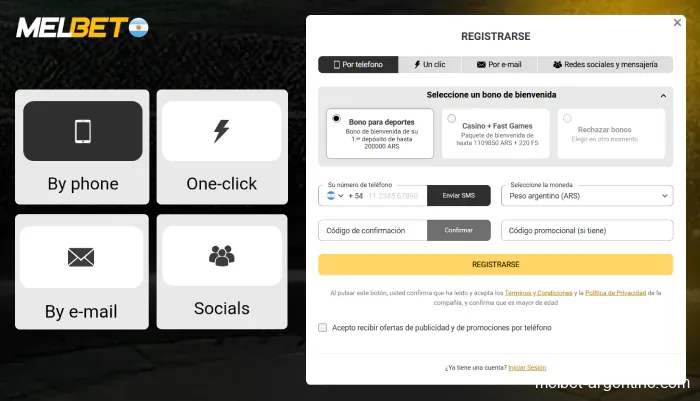
Use the registration method offered by the verified site and provide the required information. Field order can differ between interfaces, but the principle is consistent: the details should identify you accurately and remain accessible when verification is requested.
A short form does not eliminate later checks. Some information may be collected after initial account creation, before particular transactions or as part of a security review. Read the confirmation screen and complete the profile fields requested in the account area.
Keep a record of the account identifier and store the password securely. A password manager can help you use a unique password without reusing credentials from email or social media. Do not send your password to the publisher of a review site or to someone claiming to be a personal account manager.
- Open the verified registration page and confirm eligibility.
- Select the offered registration method and enter accurate personal details.
- Choose the correct country and currency where those options are provided.
- Review any bonus choice and the linked terms before accepting.
- Complete contact confirmation and secure the account credentials.
- Open the profile and finish any required information.
The bonus choice is optional
A welcome offer can introduce wagering requirements, a deadline, game restrictions and a maximum stake. The headline percentage does not show the whole commitment. If you choose an offer, read its activation process before making a qualifying deposit; a code entered after the event may not be accepted.
The wagering base and duplicate-account rule
For an illustrative comparison, a 50 bonus with 30× wagering on the bonus means 1,500 of qualifying turnover. Applying 30× to a 50 deposit plus that bonus instead means 3,000. The actual promotion decides the base and multiplier. See bonus conditions and calculations before opting in.
Do not open another account or use a family member’s identity to claim an additional offer. Promotional eligibility can include household, payment and device-related restrictions. Declining a bonus is a valid choice when its conditions do not suit your intended use.
Identity verification: make the documents readable
A verification request should specify what is needed. Identity documents, proof of address or evidence of payment ownership can serve different purposes. Submit the requested material through the secure channel identified in the account rather than through an unsolicited message.
Use a clear, current image with the relevant details visible. Heavy cropping, reflections, hidden edges and edits can make a legitimate document difficult to verify. The name and date information should agree with the account. If an entry is genuinely wrong, ask support how to correct it rather than uploading a document that does not match.
Only provide the information required for the specific check. Follow the operator’s instructions about masking payment details and never disclose a card security code or a one-time banking code. A document upload is not a reason to share login credentials.
If verification remains pending
Check whether the account shows an additional request or a rejection reason. Sending the same unreadable image repeatedly is unlikely to help. Reply with the relevant case reference and ask which field or document needs correction. Keep the exchange factual and avoid opening parallel accounts to work around the review.
First login and account checks
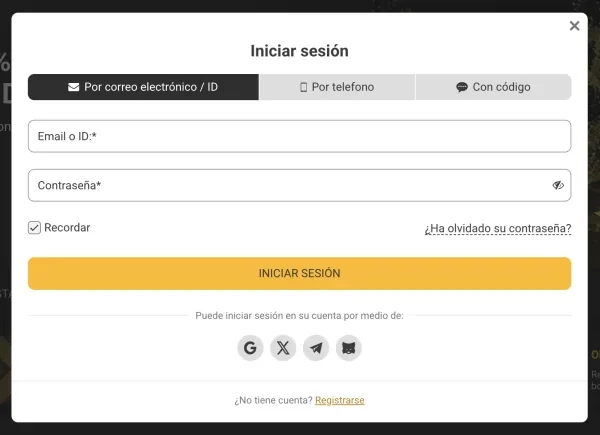
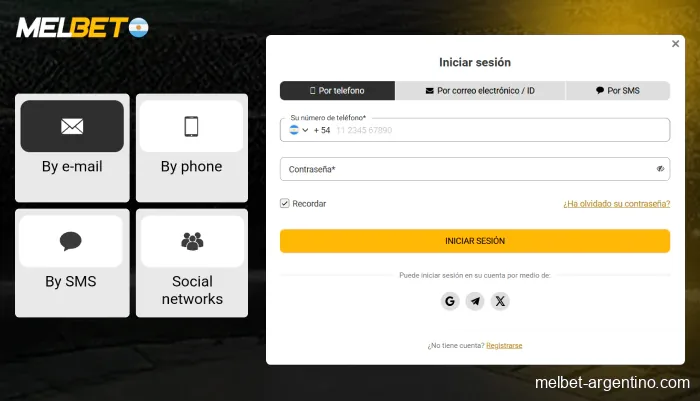
After registration, sign in through the verified route and check the displayed account details. Confirm the selected currency and contact information before making any payment. Review available security settings and enable the supported protections that fit your device.
Wallets, promotions and the first payment
The sportsbook and casino may share an account while showing different product balances or promotional wallets. Read labels carefully. An available promotional balance is not necessarily withdrawable cash, and account creation alone does not guarantee access to every game or payment method.
Before a deposit, open the cashier guide and inspect the method’s rules. Use a payment account you are authorised to use and whose ownership complies with the operator’s terms. Keep the receipt and transaction reference.
Correcting mistakes without creating new ones
For a mistyped email, inaccessible phone number or incorrect profile field, use the verified support route and explain the precise change needed. Security checks may apply before the operator alters identifying information. Do not use a new registration as a substitute for a correction.
If a form will not submit, inspect the highlighted field and format requirements. Date order, phone country codes and password requirements are common sources of mistakes. If the problem is regional eligibility, technical workarounds do not resolve it.
Set your limits before exploring the product catalogue. Registration should not create pressure to deposit immediately or to meet a promotional deadline. Use account limits and self-exclusion information if access is becoming difficult to control.
Read the details in the operator’s terms.
Frequently asked questions
Can I register twice after losing access?
Use account recovery first. A duplicate account can conflict with identity and promotional rules.
Is verification only needed for withdrawals?
Checks can be requested at different stages. Follow the current request shown in the secure account area.
Must I accept a welcome bonus?
A promotional choice should be reviewed before acceptance. If the conditions do not suit you, do not opt in.
Can I change incorrect personal details myself?
Use the profile options provided, or contact verified support for protected fields. Do not create another account to correct an error.
We compare the catalogue, promotion rules, mobile access and account procedures. Read how we check information and how to request a correction.
How we review information →